나도 코딩님 영상이 최고임
https://www.youtube.com/watch?v=yQ20jZwDjTE
Requests
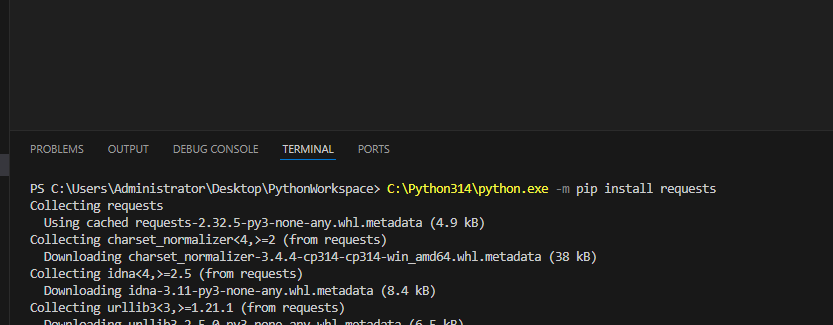
1. 일단 requests 사용 하기 전에 미리 pip install requests 해줍니다
저의 경우, 자꾸 설치할 때 마다 오류가 떠서 그냥 파이썬 3.14 버전을 적어서 설치해줬슴니다
자신의 파이썬 버전에 맞춰서 아래 Python000으로 고쳐서 설치하세유
C:\Python314\python.exe -m pip install 라이브러리명
2. requests.get("원하는 페이지명") 을 res 에 넣어 실행
import requests
res = requests.get("http://www.naver.com/")
잘 작동 됐는지 여부 확인 방법
(1) res.status_code
print("응답코드:", res.status_code) #200 이면 정상작동 시켰을 때, 응답 코드 200으로 나옴 => 정상으로 작동되는 중임을 확인

응답코드: 403 ; 이 페이지의 접근권한 없음
이 페이지에서는 html 문서를 가져올 수 없기에 웹스크래핑 불가. 다른 방법 사용 필요.
(2) if res.status_code == requests.codes.ok:
requests.codes.ok : "가져오는데 문제 없음" 을 의미
if res.status_code == requests.codes.ok:
    print("정상입니다")
else:
    print("문제가 생겼습니다. [에러코드: ", res.status_code, "]")
(3) res.raise_for_status()
불러올 수 없는 사이트의 경우, 에러 뜸
res.raise_for_status()
print("웹 스크래핑을 진행합니다")
****항상 쌍으로 쓰는 코드****
import requests
res = requests.get("http://www.naver.com/")
res.raise_for_status()
3. 해당 사이트에서 html 가져오기
print(len(res.text)) : res.text 총 갯수
print(res.text) : 해당 사이트의 text 모두 가져오기
=> 너무 많은 text => 따라서 아래 코드를 통해 html 파일을 새로 만들어 보기 쉽게 정리
with open("mygoogle.html", "w", encoding="utf-8") as f:
f.write(res.text) :res.text의 내용을 "mygoogle.html" 파일을 만들어서 입력
print(len(res.text))
print(res.text)

with open("mygoogle.html", "w", encoding="utf-8") as f:
    f.write(res.text)
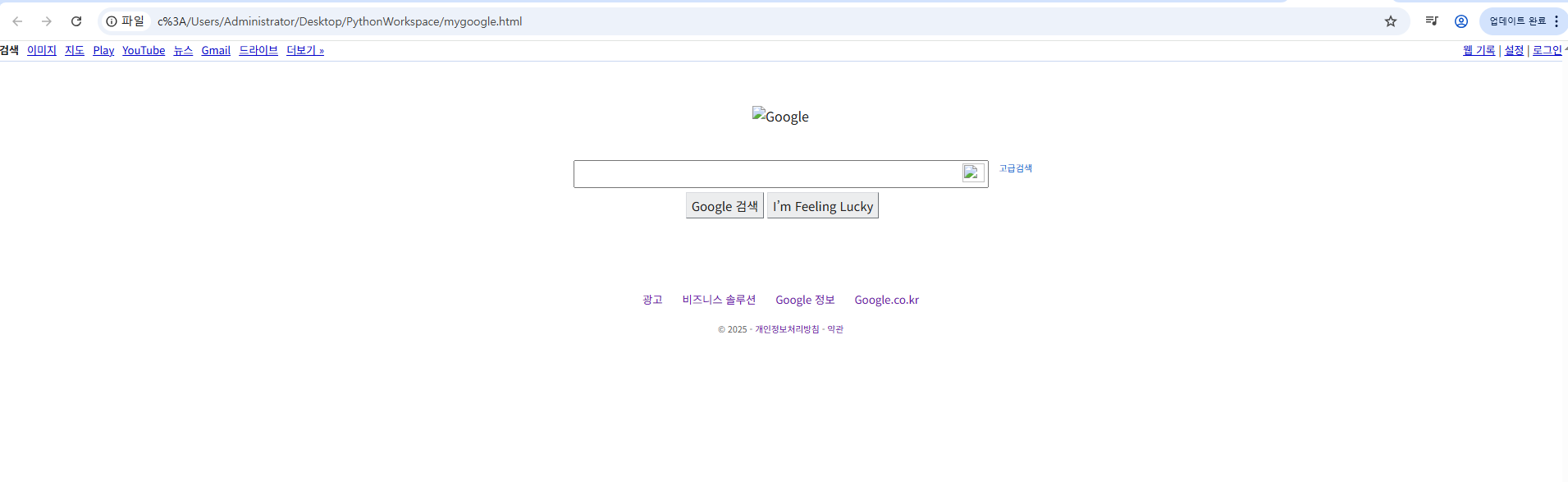
위 코드 돌리면, 목록에 mygoogle.html 생성 => 해당 html을 크롬으로 띄워서 보면 구글과 비슷한 형태가 만들어진 것을 확인
정규식
=Regular Expression, RegEx 또는 RE
문자열 내에서 특정 패턴을 검색, 일치시키거나 대체(치환)하는 데 사용되는 도구
정규식; 지정되어있는 숫자들 :
주민등록번호
- 901201-1111111
이메일 주소
- abc@gmail.com
차량번호
- 11가 1234
- 123가 1234
IP주소
- 123.123.0.1
ca?e를 찾고 싶은 상황
re.compile("ca.e") = ca?e
import re

# ca?e
# => care, cafe, case, cave 등 모두 가능
# caae, cabe, cace, cade, ... 너무 일일히 하기엔 많음

p = re.compile("ca.e")
# . : 하나의 문자를 의미  > (ca.e) ; care, cafe, case // caffe XXX
# ^ : 문자열의 시작       > (^de)  ; desk, destination // fade XXX
# $ : 문자열의 끝         > (se$)  ; case, base /// face XXX
p.match("case")는 현재 ca?e와 매치됨 => print(m.group) 출력 시, case
p.match("caffe")는 ca?e에 비해 글자 더 들어옴. 즉, 매치X => print(m.group) 출력 시, 에러 발생
m = p.match("case")
print(m.group())  #매치 되므로 "case" 출력
m = p.match("caffe")
print(m.group())  #매치 되지 않으면 에러 발생
m 매치되면 출력하고, 안되면 에러대신 문구 나오도록 하기
그냥 m만 써도 됨
( care, careless 모두 매치 : match는 주어진 문자열의 처음부터 일치하는지만 확인)
if m:
    print(m.group())
else:
    print("매칭되지 않음")
함수를 만들어서 작동시켰을 때,
p.match를 했을 땐, 매칭이 되지 않음
p.search를 했을 땐, 매칭되어 care 출력
=>
match: 주어진 문자열의 처음부터 일치하는지 확인
search: 주어진 문자열 중에 일치하는게 있는지 확인
findall : 일치하는 모든 것을 리스트 형태로 반환
def print_match(m):
    if m:
        print(m.group())
    else:
        print("매칭 X")
m=  p.match("good care")  #매칭 X
print_match(m)
m1= p.search("good care") #care
print_match(m1)
m.group() : 일치하는 문자열 반환
m.string : 입력받은 문자열 ***함수 아니고 변수 이므로 괄호 없이 사용
m.start() : 일치하는 문자열의 시작 index
m.end() : 일치하는 문자열의 끝 index
m.span() : 일치하는 문자열의 시작과 끝 index 함께
########careless 로 테스트###
def print_match(m):
    if m:
        print("m.group():", m.group())
        print("m.string():", m.string)
        print("m.start():", m.start())
        print("m.end():", m.end())
        print("m.span():", m.span())
    else:
        print("매칭 X")
m=  p.match("careless")
print_match(m)

# 값
# m.group(): care
# m.string(): careless
# m.start(): 0
# m.end(): 4       (0위치부터 care이 0123에 나오며 4이전에 값 나오므로)
# m.span(): (0, 4)
#######good care로 테스트#######
def print_match(m):
    if m:
        print("m.group():", m.group())
        print("m.string():", m.string)
        print("m.start():", m.start())
        print("m.end():", m.end())
        print("m.span():", m.span())
    else:
        print("매칭 X")
m=  p.search("good care")
print_match(m)

# 값
# m.group(): care
# m.string(): good care
# m.start(): 5
# m.end(): 9
# m.span(): (5, 9)
정리
1. p = re.compile("원하는 형태")
2. m = p.match("비교할 문자열") : 주어진 문자열의 처음부터 일치하는지 확인
3. m = p.search("비교할 문자열") : 주어진 문자열 중에 일치하는게 있는지 확인
4. m= p.findall("비교할 문자열") : 일치하는 모든 것을 "리스트" 형태로 반환
#원하는 형태 : 정규식
# . : 하나의 문자를 의미 > (ca.e) ; care, cafe, case // caffe XXX
# ^ : 문자열의 시작 > (^de) ; desk, destination // fade XXX
# $ : 문자열의 끝 > (se$) ; case, base /// face XXX
연습방법
w3school 사이트에서 공부 가능
W3Schools.com
W3Schools offers free online tutorials, references and exercises in all the major languages of the web. Covering popular subjects like HTML, CSS, JavaScript, Python, SQL, Java, and many, many more.
www.w3schools.com
또는 파이썬 docs 에서 공부 가능
https://docs.python.org/ko/3.13/library/re.html
re — Regular expression operations
Source code: Lib/re/ This module provides regular expression matching operations similar to those found in Perl. Both patterns and strings to be searched can be Unicode strings ( str) as well as 8-...
docs.python.org
User Agent
웹 요청(HTTP Request)의 헤더(Header)에 포함되어 서버로 전송되는 텍스트 문자열
웹 스크래핑 시, 서버에 의해 봇으로 쉽게 식별되어 접근이 차단될 수 있음
- 따라서, 웹 스크래핑을 할 때는 일반적인 데스크톱 브라우저의 User Agent로 위장하여(헤더에 포함시켜) 요청을 보내는 것이 일반적
Google에 what is my User Agent 검색 시, 나오는 사이트에서 내 user agent 확인 가능
- 접속하는 브라우저(크롬/ explorer 등)에 따라 user agent 상이함
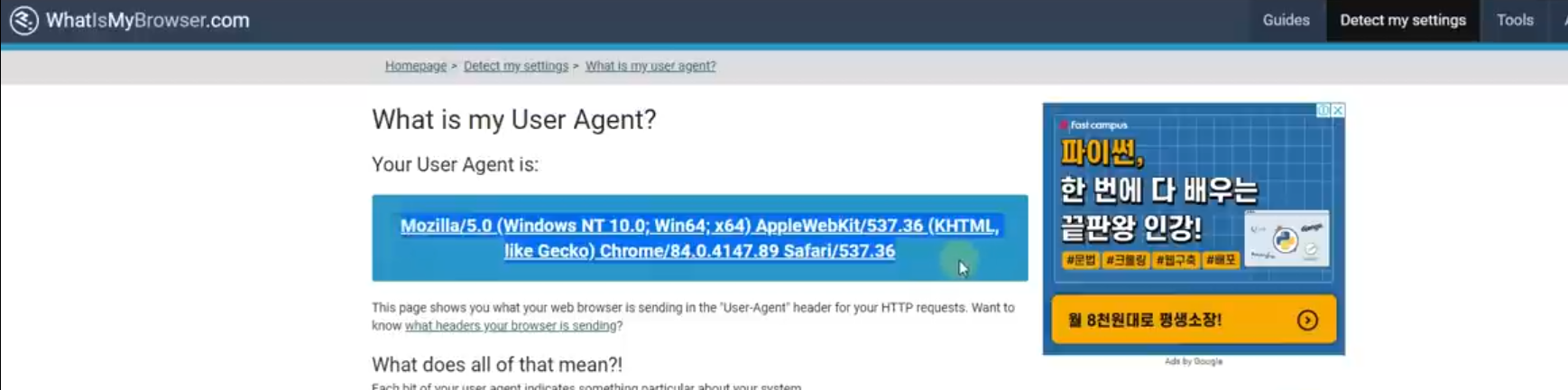
만약 requests 를 통해서 웹스크래핑 하려는데, 에러가 뜨는 경우 user agent를 가지고 와서 작업 시, 웹스크래핑 가능
import requests
url = "https://donnanoa82.tistory.com/"
headers = {"User-Agent":"Mozilla/5.0 (Windows NT 10.0; Win64; x64) ~~~~"}
res = requests.get(url, headers = headers)
res.raise_for_status()

with open("donnanoa.html", "w", encoding="utf-8") as f:
    f.write(res.text)
'공부 & 프로젝트 > 파이썬' 카테고리의 다른 글
| [파이썬] 웹크래핑 기초 5-2: Selenium 심화 - 로그인 (0) | 2025.10.20 |
|---|---|
| [파이썬] 웹스크래핑 기초 5-1: selenium 기본 (0) | 2025.10.18 |
| [파이썬] 웹스크래핑 기초 1: html, xpath, 크롬 (0) | 2025.10.17 |
| [파이썬] 모듈, 패키지, 설치 (pip), 내장함수, 외장함수(glob, os, time, datetime, timedelta) (0) | 2025.10.15 |
| [파이썬] 예외 처리- Try, Except, Raise (0) | 2025.10.15 |


